
以下の設定で対応可能です。
① Web UIにログインします。
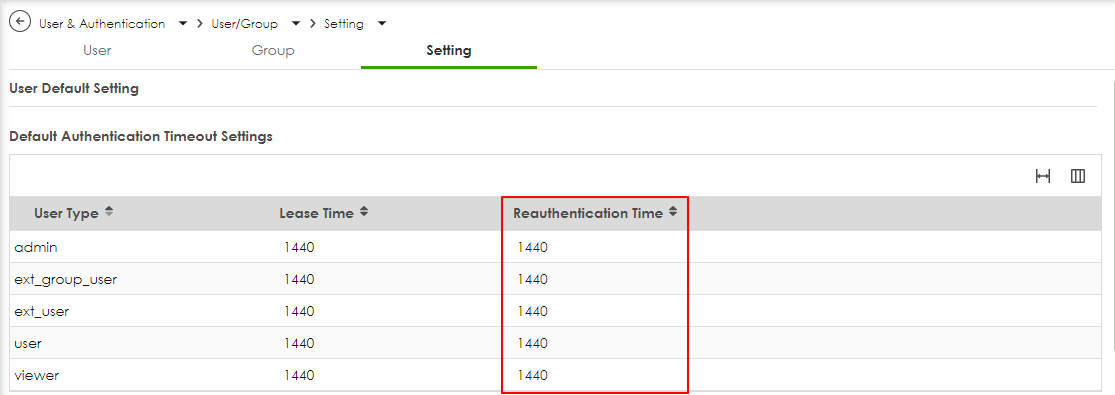
② User & Authentication ⇒ User/Group ⇒ Setting. を開きます。
③ 設定しているアカウント(デフォルトは、admin)の 『Reauthentication Time』の値を変更します。
※ この設定された時間が経過すると自動的に再認証プロセスが実行されます。
※ デフォルトは、1440分です。
参考資料:
https://community.zyxel.com/en/discussion/30793/how-to-set-an-automatic-logout-timing-on-usg-flex-h
ZYX0167